Updated November 2026.
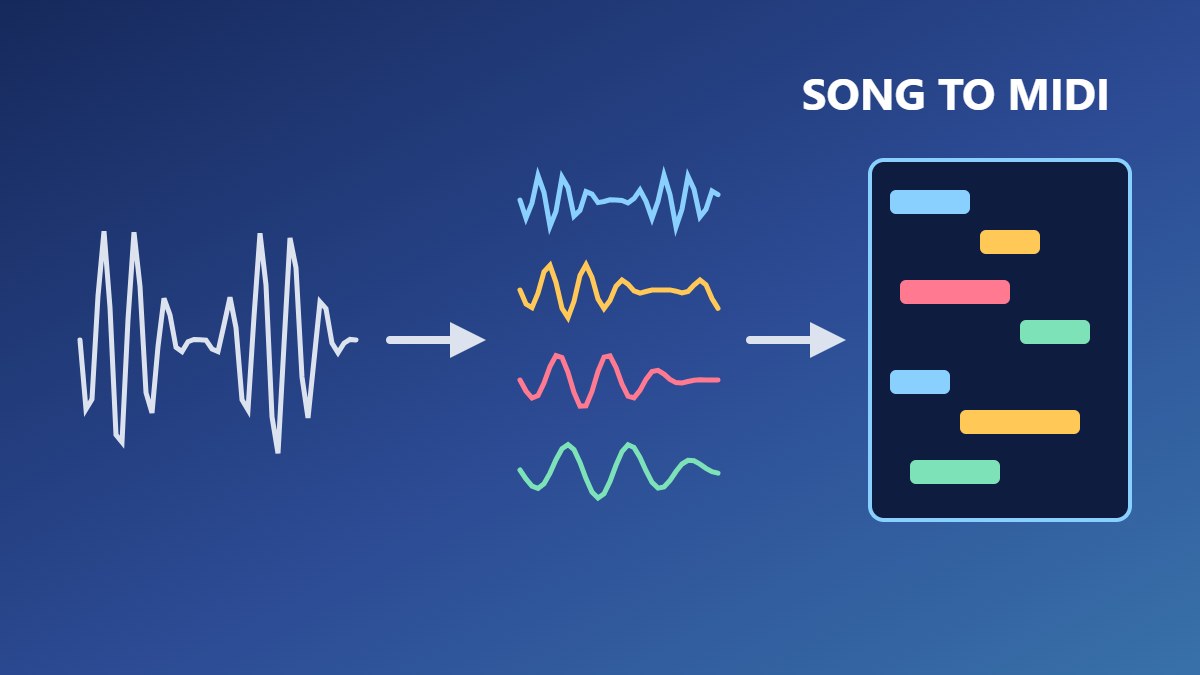
Quick answer: to convert a full song (vocals, drums and all) to MIDI:
- Split the song into stems with an AI separator, so you have the piano, bass, vocals and drums as separate files.
- Convert one stem at a time with an audio-to-MIDI tool such as Spotify’s free Basic Pitch.
- Clean up the MIDI in your DAW: delete stray notes, fix octaves, set the tempo.
- Combine the tracks into one MIDI file if you need the whole arrangement.
Why you can’t convert the whole song at once
Audio-to-MIDI tools listen for pitches. In a full mix the vocal, guitar, piano and bass overlap, and drums and reverb add noise everywhere. Drop a finished song straight into a converter and you get a cloud of wrong notes. Basic Pitch itself says it works best on one instrument at a time. Separating the instruments first is what makes the result usable.
Step 1: Split the song into stems
An AI stem separator takes a finished song and pulls it apart into vocals, drums, bass and the rest. Some can also give you a separate piano or guitar stem. Good options:
| Tool | Where it runs | Cost |
|---|---|---|
| Ultimate Vocal Remover | Desktop app, Windows and Mac | Free |
| Moises | Web, desktop and mobile; has piano and keys stems | Free tier, paid plans |
| LALAL.AI | Web | Limited free tier, paid plans |
| Your DAW | Logic Pro (Stem Splitter), FL Studio Producer Edition and up, Ableton Live 12.3+ Suite | Included |
Use the highest-quality file you have (WAV, or MP3 at 320 kbps). Our guide to splitting a song into stems covers the settings.
Step 2: Convert each stem to MIDI
| Stem | How well it converts | Tip |
|---|---|---|
| Bass | Very well | One note at a time is the easiest case. |
| Vocals / melody | Well | Slides and vibrato create extra notes; quantize lightly. |
| Piano | Good on a clean stem | Chords may lose a note or gain an overtone an octave up. |
| Guitar / “other” | Mixed | Distortion and effects confuse converters. |
| Drums | Use a drum converter | Pitch detection doesn’t apply; use a drums-to-MIDI mode. |
Basic Pitch is free in the browser and handles any pitched stem. Ableton Live Standard and Suite have Convert Melody, Harmony and Drums to New MIDI Track, which covers the drum stem too. For harder material, Melodyne Editor and Studio let you correct chords note by note before export, and AnthemScore and Klangio’s Piano2Notes specialise in transcription. Our audio-to-MIDI comparison has the details.
Step 3: Clean up and line up the MIDI
- Import all the MIDI files into one DAW project, at the start of the timeline.
- Find the song’s tempo and set the project to it, so the notes line up with the bars.
- Delete very short ghost notes and move octave mistakes back down.
- Quantize gently (50–70%) so it stays human.
- Export the result as a single MIDI file (type 1 keeps the tracks separate).
Want a piano version? Copy the melody, bass and chords onto one piano track and simplify. That’s how most piano arrangements of pop songs start.
What to do with the MIDI
- Play it with any virtual instrument in your DAW.
- Open it in MuseScore to print sheet music.
- Turn it into a piano video: Unreal Musician plays a MIDI file with a 3D pianist on stage.
FAQ
Can AI convert a song to MIDI in one click?
Some newer tools transcribe several instruments at once, but the result still needs cleanup. Splitting and converting yourself gives you more control over each part.
Is converting a song to MIDI legal?
Converting a song for your own practice is common. Sharing or selling a transcription of someone else’s song needs permission from the rights holder.
Can I convert a YouTube song to MIDI?
Only use audio you’re allowed to download. Downloading from YouTube is against its terms unless the video offers a download option.