Updated November 2026.
Quick answer:
- Use the best-quality copy of the song you have: WAV or FLAC, or a high-bitrate MP3.
- Free on a computer: Ultimate Vocal Remover, or the stem splitter built into your DAW (Logic Pro, FL Studio). No setup: Moises or LALAL.AI online.
- Choose 2 stems (vocals and instrumental) or 4 or more (vocals, drums, bass, other).
- Export the stems and listen to each one on its own for glitches.
What stem splitting is
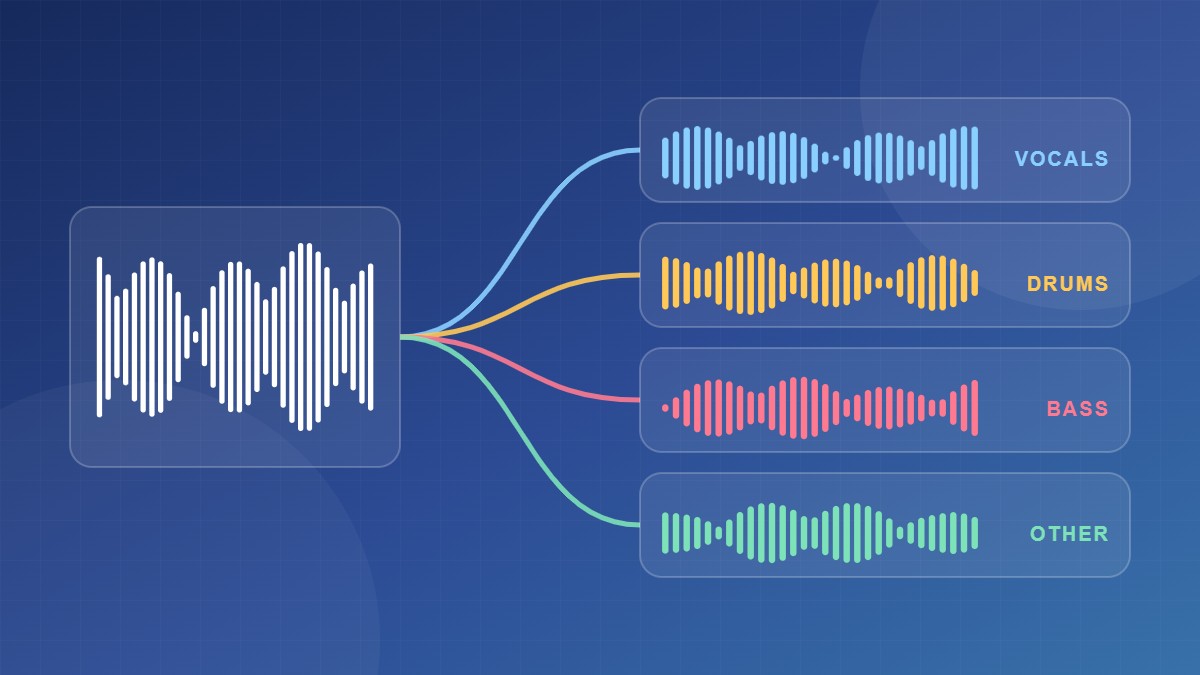
An AI model trained on thousands of songs listens to the mix and pulls each part into its own audio file, called a stem. Common splits are:
- 2 stems: vocals and instrumental (karaoke, acapellas).
- 4 stems: vocals, drums, bass and everything else.
- 6 stems: some models also split out guitar and piano.
Results today are very good, but not perfect. Listen for a watery or phasey sound, cymbals leaking into the vocal, and reverb tails that get cut off. In a mix you’ll rarely notice; on a soloed stem you will.
The main tools compared
| Tool | Price | Good to know |
|---|---|---|
| Ultimate Vocal Remover (UVR) | Free, open source | Desktop app for Windows, Mac and Linux with many models, including Demucs. Fastest with a graphics card. |
| Demucs (Meta) | Free, open source | The model behind many apps. Command line; 4 stems, with a 6-stem model that adds guitar and piano. |
| Logic Pro Stem Splitter | Included with Logic Pro (Mac) | Splits right inside your project. |
| FL Studio stem separation | Included in recent versions | Splits right inside your project. |
| Moises / LALAL.AI | Free tier, then paid | Web and phone apps with nothing to install. Moises adds practice tools such as speed and key change. |
Free tools like UVR hold their own against the paid services. What you pay for is convenience: no installing, and the processing happens on their servers instead of your computer.
Step by step with Ultimate Vocal Remover
- Download UVR from its official GitHub page and install it.
- Choose your song as the input and pick an output folder.
- Pick a process method. For vocals and instrumental, start with an MDX-Net model. For 4 stems, choose Demucs.
- Tick GPU Conversion if you have a supported graphics card. Without one it still works, just slower.
- Click Start Processing.
Getting cleaner stems
- Start from lossless audio. Low-bitrate MP3 artefacts get louder after splitting.
- Try two models on the same song and keep the better result. Songs differ.
- Match quality to the job. For practising along with a song, small glitches don’t matter. For a release, spend time comparing models.
Copyright: splitting a song for practice, study or a private remix is common. Releasing or uploading a remix, karaoke track or sample from someone else’s song needs permission from the rights holders.
FAQ
Can I pull just the piano out of a song?
Yes, with a 6-stem model or an app that offers a piano stem. Quality varies with the song. You can then convert the piano stem to MIDI.
Do I need a powerful computer?
No. A graphics card makes it much faster, but a normal laptop can split a song in a few minutes.
Can I fully remove vocals?
Usually almost entirely. Faint traces of loud vocals or backing harmonies can remain.